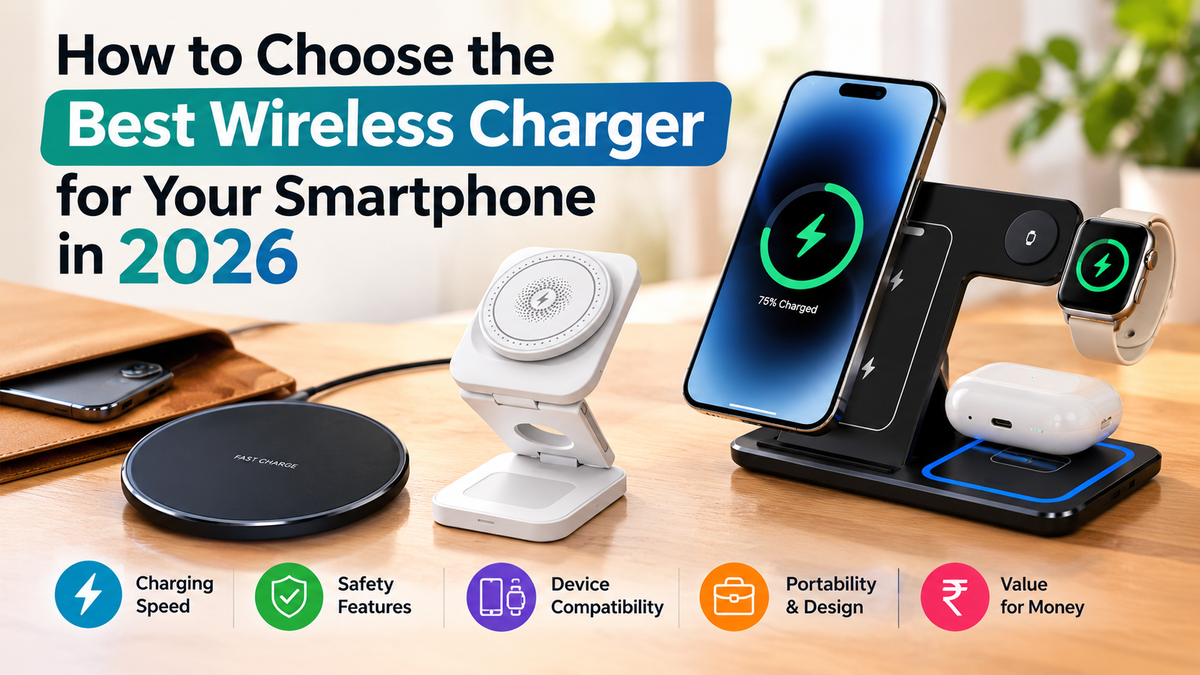
Cables tangle. Ports wear out. You reach for your phone at 1% and the cord sits in another room. A wireless charger fixes all three problems. You set your phone down and it charges. No plugging in, no fumbling in the dark.
The choice is wide in 2026. You see pads, stands, magnetic models, foldable designs, and multi-device stations. This guide walks you through each type so you pick the right wireless phone charger the first time. When you are ready, browse our full range of wireless chargers at The Good Basket.
Key Takeaways
- Check your phone's wireless charging support and maximum wattage before you buy.
- A fast wireless charger only works at full speed with a compatible phone and a strong power adapter.
- A wireless charging pad suits travel and nightstands. A wireless charging stand suits desks and video calls.
- A MagSafe charger gives automatic alignment. It works best with magnet-ready iPhones.
- A foldable wireless charger fits your bag. A 3 in 1 wireless charger replaces three cables.
- Safety features matter more than extra watts.
What Is a Wireless Charger and How Does It Work?
A wireless charger sends power to your phone through a magnetic field. A coil inside the charger creates the field. A matching coil inside your phone turns it into battery power. You get the same result as a cable without the plug.
Good placement matters. When the two coils line up, charging runs faster and stays cooler.
Step 1: Check Your Phone's Compatibility
Most recent smartphones support wireless charging. Open your phone's spec sheet and look for two details: wireless charging support and the maximum wattage it accepts.
Glass and plastic backs work well. Metal backs block the signal. Thick cases weaken the connection too. If your case is thicker than 3 mm, remove it while charging or choose a charger with a stronger range.
Step 2: Choose the Right Charging Speed
A fast wireless charger delivers more power than a basic model. Basic pads give 5W to 7.5W. Fast models reach 15W and above on compatible phones. A 15W charger fills an empty phone in roughly two to three hours. A basic pad takes longer.
Your phone sets the limit. A 30W charger does not push a phone beyond its own maximum. Pair your charger with a quality power adapter. Many chargers ship without one, and a weak adapter slows everything down.
Step 3: Pick the Style You Will Use Every Day
Each design fits a different routine. Think about where you charge most often.
Wireless Charging Pad
A wireless charging pad is flat and simple. You place your phone on top. Pads suit nightstands, desks, and car consoles. They travel well and cost less than other types. The trade-off is positioning. You line up your phone's coil with the pad, and you cannot watch videos easily while charging. Our 60W Wireless Charger Pad for iPhone & Samsung Phones costs $16 and is our lowest-priced charger.
Wireless Charging Stand
A wireless charging stand holds your phone upright at an angle. You see notifications, take video calls, and unlock with face recognition while the battery fills. Stands suit office desks and kitchen counters. Look for a non-slip base and an adjustable angle. Our LED Fast Wireless Charger Stand Foldable Charging Station costs $24 and folds away when you finish.
MagSafe Charger
A MagSafe charger uses magnets to snap onto the back of your phone. The magnets align the coils every time, which keeps charging steady and holds your phone in place when you lift it. It works best with iPhone models built with magnets. Android phones charge on a MagSafe charger too when you add a magnetic ring or magnetic case. Speed depends on the phone.
Foldable Wireless Charger
A foldable wireless charger folds flat for your bag. It opens into a stand or pad when you need it. Commuters and frequent travelers like this design. Check the hinge feels firm and the surface holds your phone in place. Our 3-in-1 Folding Wireless Charger cost $27 each.
3 in 1 Wireless Charger
A 3 in 1 wireless charger powers your phone, earbuds, and smartwatch from one base. You free up wall sockets and clear desk clutter. It suits you if you own all three devices. Check each charging zone supports the device it is made for. Choose the 3 In 1 LED Fast Wireless Charger Stand Foldable Charging Station at $24 or the 3 IN 1 FOLDABLE WIRELESS CHARGER at $28.
Step 4: Look at Safety and Build Quality
A good wireless charger protects your phone. Look for built-in protection against overheating, overcharging, and foreign objects. Foreign object detection stops charging when a coin or key sits on the surface. Certified safety marks show a charger passed testing.
Step 5: Set Your Budget
Our wireless chargers range from $16 to $28. The pad costs least. The 3 in 1 stations cost more because they power several devices from one base. List the features you use daily and buy those. Skip features you will not use.
Why Shop Wireless Chargers at The Good Basket
At The Good Basket, you find six wireless chargers in one collection. Compare them below, then open the wireless charging collection to choose the style for your routine.
|
Product |
Style |
Price (USD) |
|
Wireless charging pad |
$16 |
|
|
Foldable charging stand |
$24 |
|
|
3 In 1 LED Fast Wireless Charger Stand Foldable Charging Station |
3 in 1 foldable stand |
$24 |
|
3 in 1 foldable charger |
$27 |
|
|
3 in 1 foldable charger |
$27 |
|
|
3 in 1 foldable charger |
$28 |
FAQs
1. Is wireless charging as fast as wired charging?
Usually not. Wired charging still delivers more power. A fast wireless charger closes much of the gap, but some energy turns into heat during wireless charging. For overnight charging, the difference does not matter. For a quick top-up, wired wins.
2. Is a MagSafe charger worth it, and does it work with Android phones?
Yes, if you own an iPhone with magnets. Alignment is automatic and charging stays steady. Android phones work when you add a magnetic ring or case, and they charge at standard speeds. If you use Android and want faster charging, a fast wireless charging pad or stand fits better.
3. Does wireless charging damage your phone's battery?
No. Wireless charging does not damage a battery on its own. Heat is the real problem. Poor alignment, thick cases, and low-quality chargers create extra heat. Choose a charger with temperature control, remove thick cases, and place your phone correctly.
4. Is a 3-in-1 wireless charger worth it?
Yes, if you own a phone, earbuds, and a smartwatch. One base replaces three cables and saves space. If you own only a phone, a single pad or stand costs less and serves you better.
5. How do I choose between a wireless charging pad and a wireless charging stand?
Choose a pad for travel, nightstands, and a clean flat look. Choose a stand for desks, video calls, and quick glances at notifications. If you charge in bed, pick a pad. If you charge while you work, pick a stand.
Choose Your Charger
The best wireless charger matches your phone, your speed needs, and your daily routine. Check compatibility first. Pick a style next. Confirm the safety features last. Do these three steps and you avoid wasted money and slow charging.